
How to Fix Slow External Drive Speeds: SanDisk 2TB Extreme Portable SDSSDE61 2T00 G25 Solution Guide
Tired of waiting hours for large file transfers? Learn how to optimize your external drive speeds and why the SanDisk 2TB Extreme Portable SDSSDE61 2T00 G25 is the ideal upgrade.
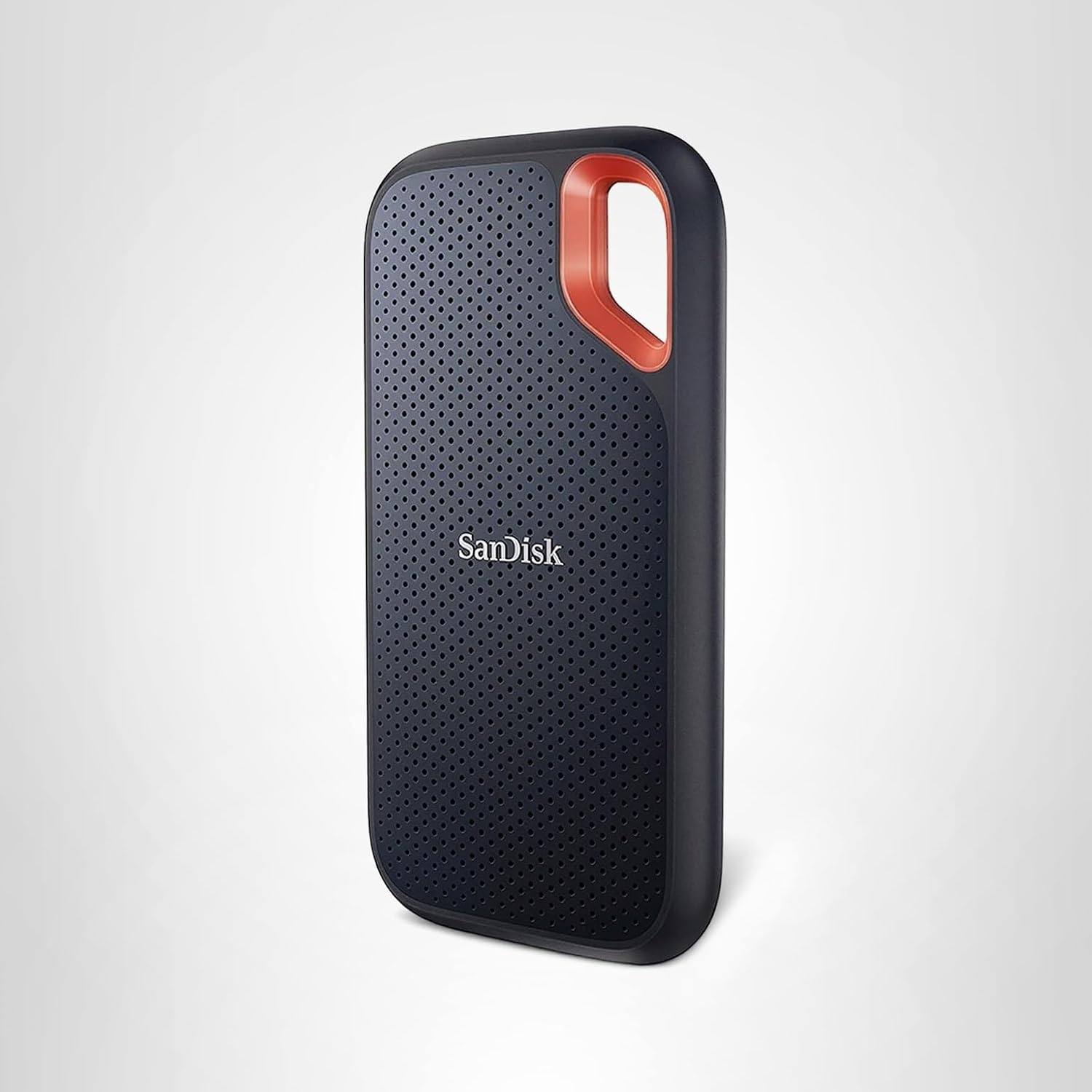
🔥 Hot Deal
Check the latest price and availability on Amazon.
Running out of storage mid-shoot or waiting hours for 4K video files to transfer is a nightmare for digital creators. If you are still using a spinning hard disk drive (HDD) or a cheap flash drive to backup your critical data on the move, you have likely run into painful speed bottlenecks and reliability concerns.
Bottom Line Up Front: The SanDisk 2TB Extreme Portable SDSSDE61 2T00 G25 is a rugged, pocket-sized SSD offering read speeds up to 1050MB/s and IP65 water/dust resistance. It is best for active content creators, travel photographers, and professionals who need durable, ultra-fast storage to resolve painful file transfer bottlenecks.


Why are your external drive transfers taking so long?
If you have noticed transfer speeds crawling when copying files, the issue usually stems from two main culprits: hardware limitations or connection mismatches. Traditional external HDDs rely on spinning magnetic platters, which physically top out at around 120MB/s. When transferring hundreds of high-resolution RAW photos or multi-gigabyte video clips, these slow speeds drag your productivity to a halt.
Furthermore, using the wrong cable or plugging your external drive into a legacy USB 2.0 port instead of a high-speed USB 3.2 Gen 2 port restricts the interface bandwidth. This forces even fast drives to crawl at legacy speeds, creating frustrating delays.
How do you solve slow external storage speeds step-by-step?
To get your data moving faster, you do not always need to discard your setup. Follow these troubleshooting steps to maximize your transfer performance:
1. Check your host ports: Ensure you are plugging into a USB 3.2 Gen 2 or Thunderbolt port on your computer to unlock full speed capabilities. 2. Use the correct cable: Always use the high-quality, high-bandwidth USB-C cable that comes with your high-performance drive rather than a generic charging cable. 3. Enable Write Caching: On Windows, navigate to Device Manager, locate your external drive, and under "Policies", select "Better performance" (ensure you use "Safely Remove Hardware" before unplugging). 4. Upgrade to NVMe technology: If your drive is simply too old, transitioning to a dedicated solid-state drive is the ultimate solution.
How does the SanDisk 2TB Extreme Portable SDSSDE61 2T00 G25 fix this storage problem?
The SanDisk 2TB Extreme Portable SDSSDE61 2T00 G25 bypasses the physical limits of old-school external drives by utilizing blazing-fast NVMe solid-state technology. With read speeds of up to 1050MB/s and write speeds up to 1000MB/s, it slashes file copy times down to seconds rather than minutes.
Beyond raw speed, it addresses physical vulnerability. Traditional hard drives can fail from a simple drop. This SSD features 3-meter drop protection and IP65 water and dust resistance, ensuring your valuable data survives harsh field conditions. It also features updated firmware to guarantee stable performance.
When will this portable SSD help you, and when will it not?
Before investing in this drive, it is essential to understand where it excels and where it might be overkill.
Pros
- Incredible Speeds: Reaches up to 1050MB/s via USB 3.2 Gen 2.
- Rugged and Durable: IP65 rating keeps dust and light rain out; survives drops up to 3 meters.
- Highly Portable: Fits easily into a pocket or clips onto a backpack via its integrated carabiner loop.
- Broad Compatibility: Works seamlessly with Mac, Windows, and USB-C smartphones.
Cons
- Cable Length: The included USB-C cable is relatively short, which can be awkward for some desktop setups.
- Performance Matching: To achieve maximum speeds, your computer must support USB 3.2 Gen 2; older machines will experience reduced speeds.
What are the technical specifications of the SanDisk Extreme 2TB?
The following table outlines the key hardware and design specifications of this model:
| Feature | Specification Details | Assessment |
|---|---|---|
| Interface | USB 3.2 Gen 2 USB-C | Highly compatible and fast |
| Sequential Read Speed | Up to 1050 MB/s | Excellent for fast backups |
| Sequential Write Speed | Up to 1000 MB/s | Smooth handling of large files |
| Durability | IP65 Water & Dust Resistance | Ideal for outdoor shoots |
| Drop Protection | Up to 3 meters (9.8 feet) | Great peace of mind |
Is the SanDisk 2TB Extreme Portable SDSSDE61 2T00 G25 worth buying today?
If you are tired of watching progress bars crawl while transferring data, upgrading to this high-speed external SSD is a wise investment. Its balance of speed, physical resilience, and massive 2TB capacity makes it a premier choice for professionals and casual users alike.
You can check the current pricing, shipping availability, and user reviews on Amazon directly: Get the SanDisk 2TB Extreme Portable SSD on Amazon
What is the ultimate checklist for optimizing your external SSD performance?
Keep this checklist handy to ensure you are getting the absolute most out of your high-speed drive:
- [ ] Plug the drive directly into the fastest available USB-C or Thunderbolt port (avoid unpowered hubs).
- [ ] Use the included high-bandwidth USB-C to USB-C cable (or a certified USB 3.2 Gen 2 cable).
- [ ] Keep the drive's firmware up to date via the manufacturer's utility software.
- [ ] Format the drive using APFS for macOS or NTFS/exFAT for Windows depending on your primary ecosystem.
- [ ] Always eject the drive safely before physically disconnecting it from your device.
Frequently Asked Questions (FAQ)
Does the SanDisk 2TB Extreme Portable SDSSDE61 2T00 G25 work with Apple devices?
Yes, it works seamlessly with USB-C Macs, iPads, and iPhone 15/16 Pro models for external storage and direct video recording.
Can I use this SSD for gaming consoles like PS5 or Xbox Series X?
Yes, you can use it to store and play backward-compatible games or store current-generation games, though current-gen games must be copied back to internal storage to play.
Does this drive get hot during heavy file transfers?
It is normal for the drive to feel warm during prolonged high-speed file transfers as the silicone shell is designed to dissipate heat away from the internal components.
What should I do if the SSD is not achieving 1050MB/s speeds?
Ensure you are connected to a USB 3.2 Gen 2 port using the official cable, as older USB-A ports or lower-spec cables will limit speeds to 400-500MB/s or less.
Was this helpful?
No account required. Your browser cookie keeps your reaction.
Comments (0)
Loading…